background

Typesense vs Algolia

Typesense delivers the same instant search-as-you-type experience as Algolia for a fraction of the cost. Algolia is a fully managed, proprietary search service with productized merchandising and experimentation, along with built-in recommendations and personalization features at higher plan tiers. Typesense gives you an open-source search server that combines typo-tolerant keyword search with direct vector search, hybrid search, semantic search, and geo search. It also offers native integrations with LLMs of your choice to enable Natural Language Search and built-in retrieval-augmented generation (RAG). Typesense includes built-in high availability and the freedom to self-host or use a dedicated Typesense Cloud cluster.

For a broader view, see the full Typesense, Algolia, Elasticsearch, and Meilisearch comparison covering all four products.

Typesense vs Algolia at a glance

Swipe horizontally to compare

AreaTypesenseAlgolia
LicenseGPL-3.0Proprietary
HostingFree self-hosting or dedicated Typesense Cloud clustersFully managed SaaS with no self-hosted option
Dataset and index limits No plan-based cap on collection count or collection size. Practical capacity depends on provisioned RAM, CPU, disk, and workload. Algolia's published service limits set Build at 1 GB and 10 indices per application; Grow and Grow Plus at 100 GB application-wide and 50 indices; and Elevate at 100 GB application-wide and 1,000 indices. Replicas count toward index limits, and standard replicas also multiply billable records. Contracted Service Orders may differ.
Typo toleranceEnabled by default with up to two typos Enabled by default with up to two typos, or three when the first typo is on the initial letter
Vector and hybrid search Built-in HNSW, automatic embeddings, tunable hybrid rank fusion, semantic search, and Natural Language Search No direct vector-search API. NeuralSearch combines keyword and vector results and is available on higher plan tiers.
Multi-tenancy Scoped API keys can embed non-overridable filters, field restrictions, and expiry times, so each client can access only its tenant's permitted records and fields Secured keys can restrict indices and filters and set rate limits and expiry
High availability Typesense uses Raft clustering for HA: a 3-node cluster tolerates 1 failed node and a 5-node cluster tolerates 2, with reads and writes unaffected while quorum remains. Typesense Cloud supports HA clusters that can have 3 to 7 nodes, and automatically reroutes traffic away from failed nodes. Classic infrastructure uses three-server Raft clusters that prioritize search availability. Searches continue with 1 or 2 servers down, while indexing pauses until all 3 are online.
Geo distribution Typesense Cloud's Search Delivery Network distributes data across up to 7 regions per cluster, from among 26 available region choices, and routes searches to the nearest healthy node. Algolia advertises its 17-region network globally, while Grow and Grow Plus offer hosting only in the US, UK, or EU West. A paid DSN adds one or more regional servers.
Independent geo fields Typesense supports multiple named geo fields using geopoint or geopoint[], queried independently. For example, one record can have separate pickup_location and delivery_location fields. Algolia geo search uses the reserved _geoloc field with one or several coordinates in a single pool ranked by closest match. It cannot independently filter pickup_location by one geo condition and delivery_location by another within the same record.
Sort orders Flexible query-time sorting, without the need to duplicate indices. Sort by up to three fields alongside relevance, geo, or conditional ranking. Each sort order needs a replica. Standard replicas duplicate records and increase record charges; virtual replicas avoid duplication but are capped at 20, support fewer settings, and do not provide exhaustive sorting.
Merchandising Typesense Cloud UI for rules, pinning, hiding, filtering, sorting, and scheduled curations; the same capabilities are available by API Visual and Manual Editors plus a broader Merchandising Studio for search results, facets, category pages, banners, and redirects
A/B testing No built-in A/B dashboard; teams can run experiments through their existing experimentation platform and set Typesense search parameters dynamically at runtime Built-in A/B testing; requires click and conversion events before results can be measured
Agent tooling Built-in Conversational Search (RAG) grounds answers in indexed data and keeps context for follow-up questions. Choose OpenAI, Azure OpenAI, Google, Cloudflare Workers AI, or a self-hosted vLLM model. Agent Studio connects a chosen LLM to Algolia search and tools to build assistants grounded in live index data. Its Ask AI capability turns documentation, blogs, and support content into a conversational assistant; it is part of Agent Studio and is not offered as a standalone feature for new applications.
Serverless offering No. Typesense is a persistent in-memory process that requires an uninterrupted runtime, RAM, and persistent disk. No. Although its pricing is usage-based, Algolia operates stateful 128 GB RAM clusters that store customer indices.
InstantSearch UI Typesense offers an adapter that allows Algolia's InstantSearch UI widgets to work with a Typesense backend for JavaScript, React, Vue, React Native, and Angular JavaScript, React, Vue, iOS, Android, and Flutter libraries
Support coverage Typesense Cloud offers 24/7/365 critical production support with response SLAs starting at 30 minutes. Self-hosted support is community-based. Grow, Grow Plus, and Elevate include web support during weekday business hours. Elevate offers paid support-plan add-ons; Extended Support covers P0 and P1 incidents 24/7.

Your search infrastructure, on your terms

Run Typesense where it fits

Run the same open-source Typesense engine on infrastructure you operate or in a dedicated Typesense Cloud cluster. You can choose who runs the infrastructure without changing search engines.

Self-hosting gives your team responsibility for provisioning, monitoring, upgrades, and scaling. Typesense Cloud handles those cluster operations without closing off a self-hosted path later. Because both options use the same open-source engine, you avoid tying your search implementation to one hosting platform.

Let Algolia run the service

Algolia is a proprietary, hosted-only search service. Its classic infrastructure is shared by default, with dedicated infrastructure available as an add-on.

It is a good fit when a vendor-operated SaaS is the priority and your team does not need a self-hosted path. The trade-off is platform lock-in: because the engine and service are proprietary and hosted only, leaving Algolia means rebuilding your search stack when migrating to a different search platform.

PUBLIC LIST-PRICE COMPARISON

How the pricing models differ

Swipe horizontally to compare

Pricing modelTypesenseAlgolia
Self-hosting and starting point Free to self-host forever, with infrastructure and operations handled by your team. Typesense Cloud has a one-time free tier with 720 node hours and 10 GB of bandwidth. No self-hosted option. Build is free for development and includes one million records and 10,000 search requests per month.
How hosted pricing scales Typesense Cloud bills dedicated RAM and CPU resources hourly, plus bandwidth, without per-search or per-record charges. For example, a 2 GB burst single-node configuration is about $51 per month; 2 GB burst with 3-node HA is about $153 per month. See real workload pricing below for more examples. Grow includes 10,000 search requests per month, then charges $0.50 per 1,000; Grow Plus includes 10,000, then charges $1.75 per 1,000. Both include 100,000 records, then charge $0.40 per 1,000. Elevate uses custom annual pricing. View Algolia pricing for current public rates.
Cost of additional sort orders For example, price low-to-high, price high-to-low, and newest can use a single index and query-time sort_by against the same records, without multiplying your costs. Those same three sort orders each require a replica. Standard replicas duplicate the records and multiply their billable cost. Virtual replicas avoid record duplication but are capped, support fewer settings, and do not provide exhaustive sorting.

Algolia's request-usage guide says each keystroke can count as a search request. Typesense Cloud does not add a per-search charge, so a traffic spike does not create a separate per-request line item. You may still need to resize the cluster as your dataset, search concurrency, or latency requirements change, but the cost increase is not as steep as it would be with Algolia. See below for pricing examples of real search workloads that show how the costs compare.

Pricing Comparison for Real-World Search Workloads

These five examples are drawn from anonymized usage of actual clusters running on Typesense Cloud. They intentionally show a range, not only the best cases. Savings vary with dataset shape, number of records, and provisioned capacity.

The examples compare dedicated-compute pricing in Typesense Cloud with undiscounted public Algolia Grow search-request pricing. Algolia figures exclude record charges, negotiated rates, and annual discounts, so they are conservative public list-price comparisons, not expected invoices at the higher volumes.

Search volumeTypesense Cloud configurationTypesense CloudAlgolia GrowAnnual savingsSavings %
214K searches per month2 GB RAM, burst 2 vCPU, single node$51 / month $613 / year $102 / month $1,226 / year $613 / year50.0%
848K searches per month2 GB RAM, burst 2 vCPU, 3-node HA, 3-region SDN$168 / month $2,015 / year $419 / month $5,030 / year $3,015 / year59.9%
948K searches per month8 GB RAM, burst 2 vCPU, single node$139 / month $1,664 / year $469 / month $5,628 / year $3,964 / year70.4%
4.1 million searches per month2 GB RAM, burst 2 vCPU, single node$51 / month $613 / year $2,033 / month $24,400 / year $23,787 / year97.5%
141.7 million searches per month16 GB RAM, 4 vCPU, 3-node HA$1,073 / month $12,877 / year $70,833 / month $849,998 / year $837,121 / year98.5%

214K searches per month

2 GB RAM, burst 2 vCPU, single node

Typesense Cloud compute cost
$51 / month
$613 / year
Algolia Grow minimum
$102 / month
$1,226 / year
Annual savings vs public Grow price
$613 / year 50.0%

848K searches per month

2 GB RAM, burst 2 vCPU, 3-node HA, 3-region SDN

Typesense Cloud compute cost
$168 / month
$2,015 / year
Algolia Grow minimum
$419 / month
$5,030 / year
Annual savings vs public Grow price
$3,015 / year 59.9%

948K searches per month

8 GB RAM, burst 2 vCPU, single node

Typesense Cloud compute cost
$139 / month
$1,664 / year
Algolia Grow minimum
$469 / month
$5,628 / year
Annual savings vs public Grow price
$3,964 / year 70.4%

4.1 million searches per month

2 GB RAM, burst 2 vCPU, single node

Typesense Cloud compute cost
$51 / month
$613 / year
Algolia Grow minimum
$2,033 / month
$24,400 / year
Annual savings vs public Grow price
$23,787 / year 97.5%

141.7 million searches per month

16 GB RAM, 4 vCPU, 3-node HA

Typesense Cloud compute cost
$1,073 / month
$12,877 / year
Algolia Grow minimum
$70,833 / month
$849,998 / year
Annual savings vs public Grow price
$837,121 / year 98.5%

Annual savings compare these observed Typesense Cloud compute costs with Algolia's public Grow rate. They are estimates, not quotes. Figures are rounded to the nearest dollar from exact estimates, so monthly and annual amounts may differ slightly when multiplied. These examples are not sizing guarantees. Dataset shape, query complexity, writes, concurrency, latency targets, and capacity headroom all affect the resources a workload needs.

From teams that switched from Algolia

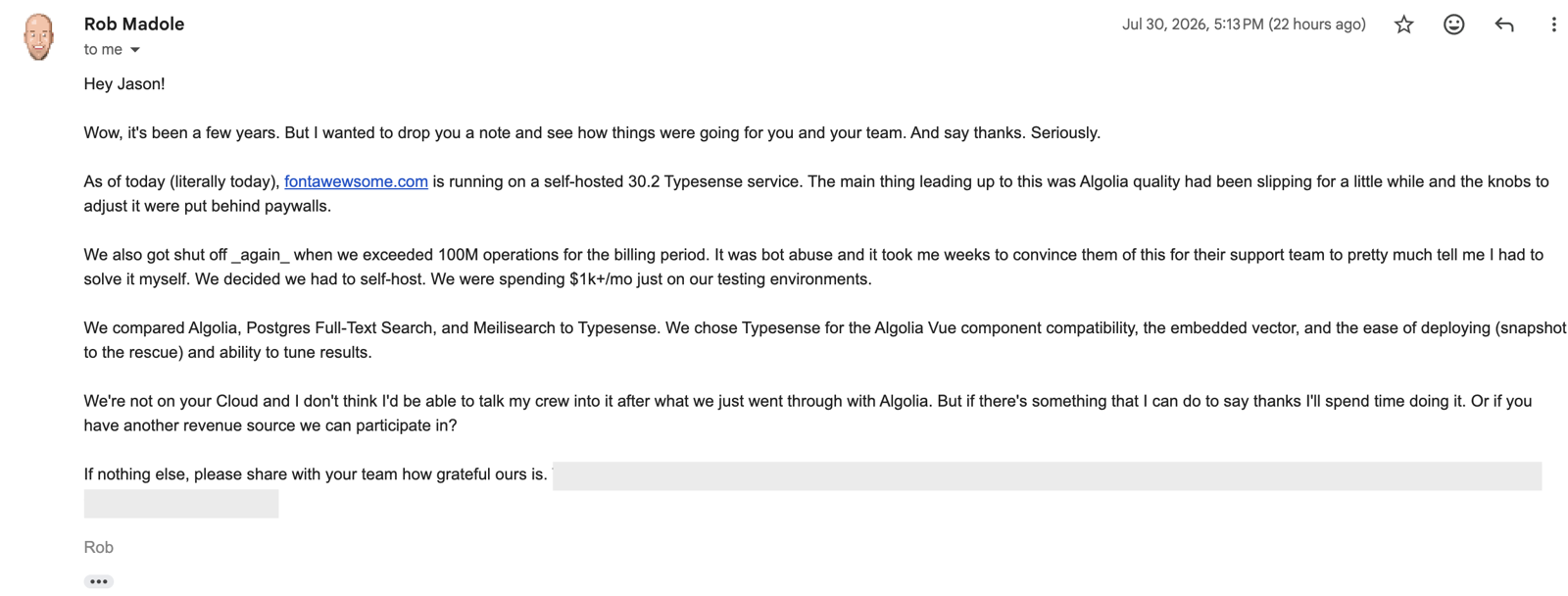
Teams moving from Algolia to Typesense Cloud have reported search-cost savings of 50% or more. Typesense preserves the same instant, typo-tolerant search-as-you-type experience. If you already use InstantSearch, the Typesense-InstantSearch adapter lets you keep your existing widgets in most cases. You can move to Typesense Cloud or self-host the same search server. Read the migration guide for implementation details.

Read more stories from teams that switched for additional examples.

“our overhead for search is less than 25% of what it used to be.”
Joshua S, CTO at Adviise, on costs after moving from Algolia
“I had that working in 15 minutes”
Richard S, Full Stack Developer at The Fold Line, on reusing its InstantSearch frontend

When Algolia is a better fit

  • You want packaged personalization and recommendation products rather than assembling those workflows in your application.
  • You want a built-in A/B testing dashboard to split traffic and measure search experiments without connecting another experimentation platform.
  • Your ecommerce team needs a broader no-code merchandising suite than Typesense Cloud's curation UI, including facet and category merchandising, banners, redirects, or Smart Groups.
  • You use an Algolia-maintained integration for platforms like Shopify, Adobe Commerce, BigCommerce, commercetools, or Salesforce B2C Commerce and prefer not to own that sync layer.
  • Your primary content lives on a website or docs site, and you want Algolia's hosted Crawler to extract and index it, then schedule recrawls without building or maintaining the ingestion pipeline.
  • You want managed relevance automation such as Dynamic Re-Ranking, Query Categorization, AI Synonyms, or NeuralSearch. Availability depends on plan, and behavioral features require event data.
  • A hosted-only search service suits your operating model and you do not need a self-hosted path.
  • You want packaged agent tooling such as Agent Studio.

When Typesense is a better fit

  • Your business is doing well, search is taking off, and costs are climbing with it. You would rather skip an annual negotiation with Algolia's Sales team. Typesense Cloud publishes its full pricing catalog online, charges no per-search or per-record fees, and lets you resize your cluster up or down yourself. Its pay-as-you-go pricing means you pay for the exact configuration that is running.
  • Your traffic peaks seasonally. Instead of prepaying or provisioning for the annual peak, you can resize Typesense Cloud for the busy month, then scale back down and pay only for the compute used while each configuration runs. You can also call the Cloud Management API from your own scheduler or automation to scale up during the day and back down at night.
  • You want to vary searchable fields and weights, filters, facets, typo tolerance, grouping, and sorting by page, user, or experiment using runtime search parameters and your existing experimentation platform, without cloning an index.
  • You want to preserve product, pricing, inventory, or other relationships. JOINs let you retrieve, filter, facet, and sort across collections without copying every relationship into every document.
  • You need several exhaustive sort orders against one collection at query time, without replicas or multiplying your costs.
  • You want direct vector and hybrid search primitives with runtime control over weighting, distance thresholds, and reranking.
  • You want synchronous writes, where success means the change is written to a majority and is already searchable, without polling an indexing task.
MIGRATION WITHOUT A REBUILD

What teams ask before switching from Algolia

Our Algolia to Typesense Migration Guide covers endpoint mappings and rollout guidance.

Is Typesense a drop-in API replacement for Algolia?

Not at the API level. The search concepts map closely even though backend calls use different endpoints and parameters, so those calls need to be translated.

Can we keep our InstantSearch frontend?

Yes! The Typesense-InstantSearch adapter preserves most JavaScript, React, Vue, and Angular InstantSearch widgets. Some widgets and options need documented adjustments.

How long does an Algolia migration usually take?

Based on real-world feedback from teams that migrated, the median is two to three weeks, with stacks that use InstantSearch often taking less time because our adapter preserves much of the frontend. Data volume, rules, relevance tuning, and rollout requirements shape the range.

What changes in the indexing workflow?

Algolia writes return asynchronous task IDs that you poll. Typesense writes are synchronous: success means the write reached a majority and is searchable. For bulk imports, handle backpressure with a retry mechanism using a jittered 10 to 60 second delay. This detailed article on ingesting data into Typesense covers the workflow.

Is Typesense schema-less like Algolia?

Yes, Typesense supports both schemaless mode and strict schemas. In schemaless mode, Typesense automatically detects fields, while the dirty_values setting controls whether mismatched values are coerced or rejected. That said, we usually recommend setting up a schema to improve validations and keep your index clean.

Can Typesense handle relationships between records in different indices?

Yes. JOINs preserve and query related collections, so you can retrieve, filter, facet, and sort across relationships without copying them into every document.

How do Typesense sort orders differ from Algolia virtual replicas?

Typesense applies sort_by at query time, so one collection can serve multiple exhaustive sort orders without replicas or multiplied record costs. In Algolia, adding standard replicas for common sort orders, for example, price ascending, price descending, and newest, turns one primary catalog into four full copies, multiplying billable records. Virtual replicas avoid record copies but still use index slots, are capped at 20 per index, support fewer settings, and do not provide exhaustive sorting.

How does cost change as traffic grows?

Typesense costs generally grow much less steeply than Algolia's per-search and per-record model because Typesense Cloud bills hourly resources and bandwidth without per-search or per-record fees. Self-hosting is free. You may still need more capacity as dataset size, concurrency, query complexity, and latency requirements grow. The real-world pricing examples above show this range across observed workloads.

What happens if an attribute changes type between records?

Algolia accepts mixed types because ordinary attributes are schema-agnostic by default. The trade-off is that filters remain type-sensitive: a numeric filter such as price < 100 only matches records where price is numeric, so string-valued prices can quietly disappear from that filtered result. Typesense lets you choose the contract. Define a schema to reject mismatches, or use auto-schema and configure dirty_values to coerce, drop, or reject incompatible input.

Can filters operate within a nested array of objects, within a single object?

Yes. Typesense supports correlated nested-array filters using parent.{...}, so every predicate must match the same object in the array. For example, ingredients.{name:=cheese && concentration:<50} requires one ingredient object to satisfy both conditions. Algolia's nested-array filtering guidance explains that predicates can match different elements and recommends combining fields or remodeling records.

Compare other search platforms

Read Typesense vs Elasticsearch or Typesense vs Meilisearch.

Put Typesense to the Test With Your Own Data

Launch a managed cluster or run the same open-source engine yourself. Your data and queries will make the trade-off clearer than a feature checklist.

Switching from Algolia? Our free migration support can include an initial consultation and help benchmarking your workload. Depending on your current Algolia spend, it can also include prioritized support and migration consulting.

background